Ping works but port 443 refuses with no firewall
Find why TCP 443 is refused when ping works fine
Ping says yes, port 443 says no
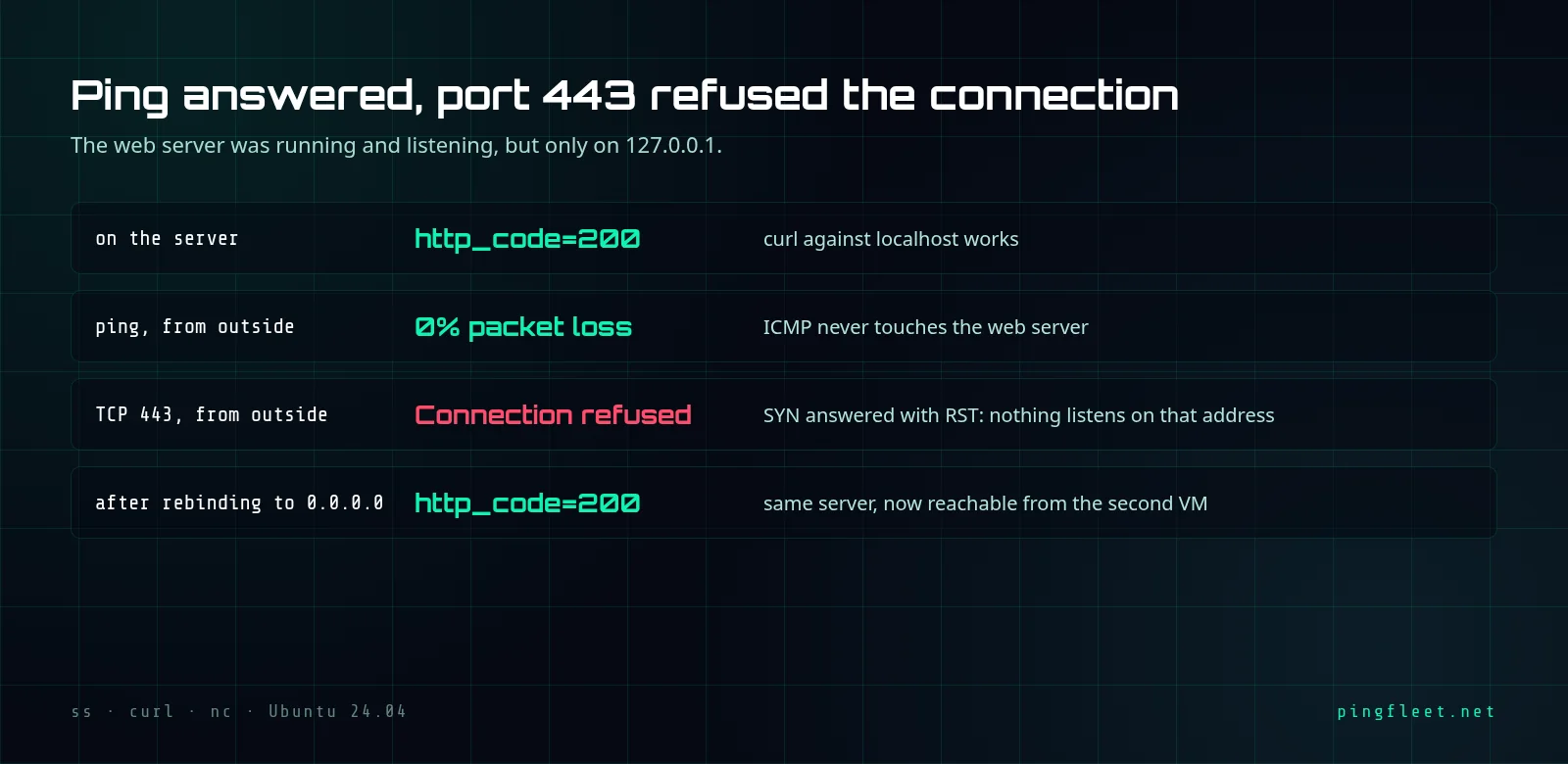
On a test VM running Ubuntu 24.04.5 LTS, I started a web server on port 443 and checked it locally. HTTP 200. From a second VM on the same 10.20.30.x network, ping 10.20.30.11 came back with 3 packets transmitted, 3 received, 0% loss, average RTT 0.173 ms. Ping uses ICMP, not TCP. A successful ping says nothing about whether port 443 works. I ran curl to port 443 on the same address:
curl: (7) Failed to connect to 10.20.30.11 port 443 after 0 ms: Could not connect to server
I assumed the firewall was dropping the packets. On a live server, this means the local test returns 200 while every outside connection gets refused. I counted the firewall rules on the server. Zero.
Why was the connection refused in 0 ms?
A firewall that drops packets gives you a timeout: your client sends a TCP SYN, the SYN vanishes, and after 20-130 seconds of retransmits the connection fails. Here the failure took 0 ms. The server's kernel received the SYN, found nothing listening on port 443 at address 10.20.30.11, and sent back a RST packet. No firewall. The network was working and the port had no listener on that address.
The server was listening on the wrong address.
The local test returned 200
On the server itself, curl to port 443 got HTTP 200 because the request went to 127.0.0.1, the loopback address, which exists only inside the machine and is how a server talks to itself. The web server was bound to 127.0.0.1:443. It answered. A request from the other VM arrives at 10.20.30.11, the real network interface, where nothing was listening. I ran ss -tlnp to confirm:
LISTEN 0 5 127.0.0.1:443 0.0.0.0:*
That 127.0.0.1 is the entire problem. A process bound to 0.0.0.0:443 accepts connections on every interface; one bound to 127.0.0.1:443 talks only to itself.
Find the bind address with ss -tlnp
Run ss -tlnp on the server: -t shows TCP sockets, -l only listening ones, -n skips DNS lookups, -p prints the process name. Check the Local Address column. 127.0.0.1:443 means only the machine itself can reach that port.
I think ss -tlnp is the first command to run when a remote connection is refused and there is no firewall. Two seconds.
Rebind to all interfaces and test again
Change the bind address from 127.0.0.1 to 0.0.0.0 and restart the server. In this test I used Python's http.server with --bind 0.0.0.0, but any server has an equivalent setting in its configuration file. After restarting, ss -tlnp showed the change:
LISTEN 0 5 0.0.0.0:443 0.0.0.0:*
From the second VM, curl to port 443 returned HTTP 200. The same request that got a RST before now reached the server.
For those who want the details
When a SYN arrives at a port and address where nothing listens, the Linux kernel replies with RST+ACK and your client sees Connection refused in under 1 ms. No retransmission happens. When a firewall drops the SYN silently, the client retransmits 6 times over roughly 127 seconds (the default tcp_syn_retries on Linux is 6) before reporting a timeout. The nc test from the lab:
nc: connect to 10.20.30.11 port 443 (tcp) failed: Connection refused
The shell's /dev/tcp test finished in 0.002 seconds real time. If it had taken 2 minutes, the diagnosis would point at a firewall or a route.