Looking for Better Stack alternative?
Here is what PingFleet does differently. We do not list Better Stack's current limits or prices, because those change without notice and a comparison table that is quietly out of date is worse than none. Check theirs directly.
Where the check runs from is treated as the product
Most uptime tools present locations as a list to tick. PingFleet picks them for independence: different providers, different autonomous systems, so that two of our machines do not share one network's bad day.
A monitor is called down when enough locations agree. When they disagree you get a third state, degraded, naming which location cannot reach you. A service unreachable from one network is genuinely broken for the customers on it, and a tool that reports only the majority verdict throws that away.
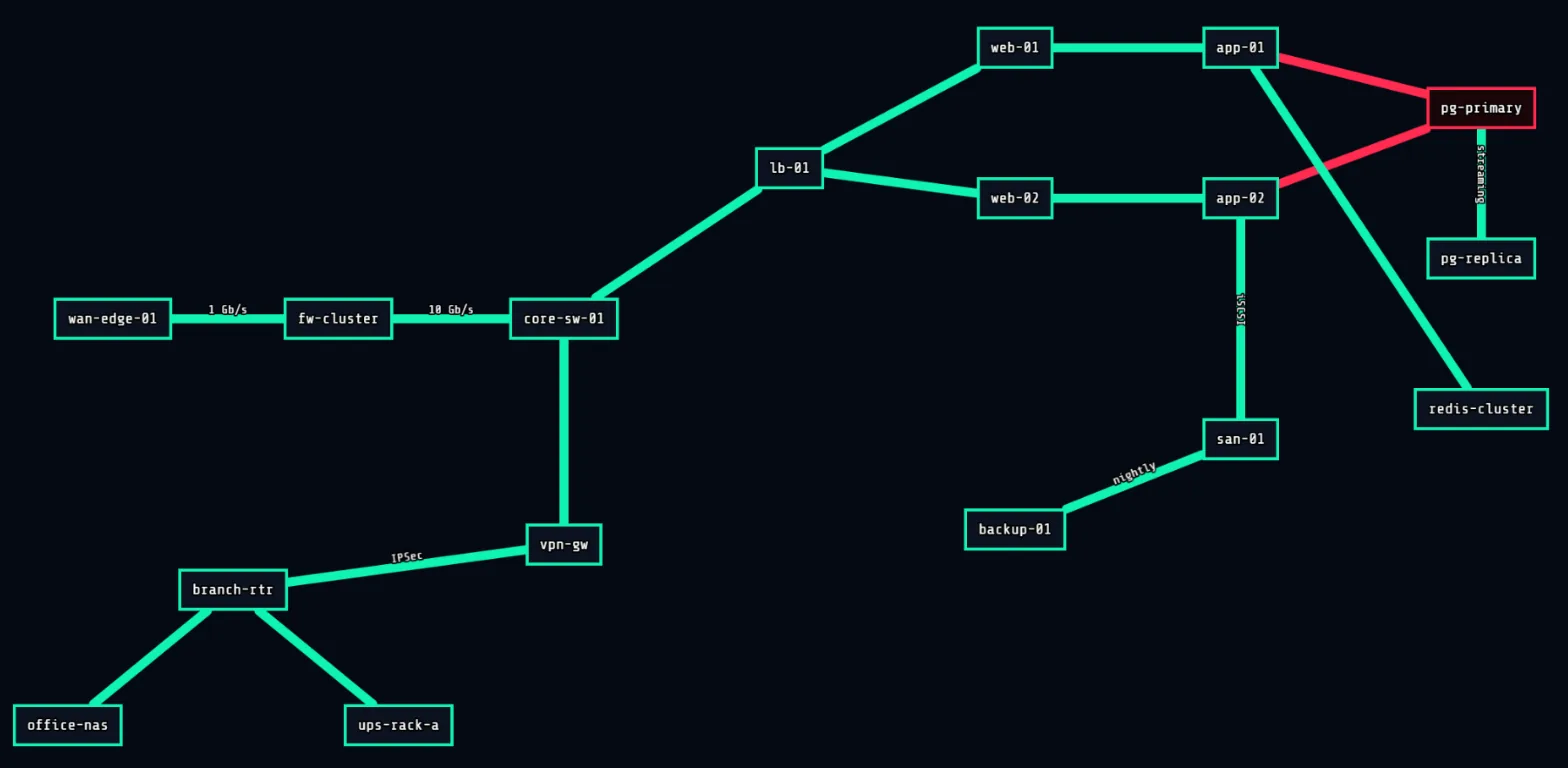
The network map
PingFleet draws your infrastructure as a graph and colours it live. A list tells you what is red. A graph tells you what sits behind it, and what is about to follow.
Agents for everything the internet cannot reach
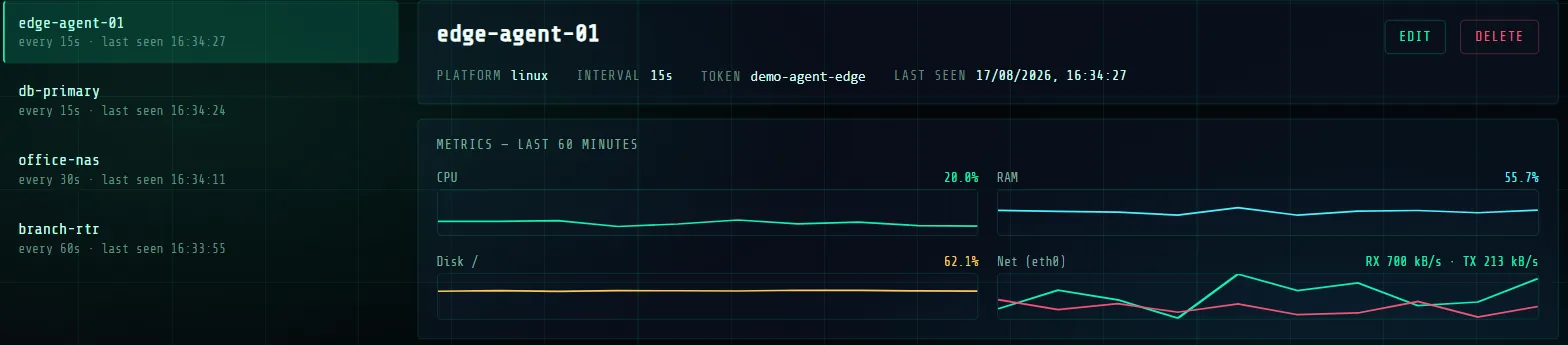
Databases on private subnets, office NAS boxes, routers behind CGNAT. One shell command installs an agent that checks them locally and reports outward, with no inbound firewall rules and no exposed ports. Our public probes refuse private addresses outright rather than reporting them down.
Alerting that escalates
Email after three failures, a text to somebody else if it is still broken ten minutes later, and hours during which each step may wake a person. Configured once as a group and reused, rather than rebuilt per monitor.
What we do not claim
PingFleet is young. If you need a decade of history, a large integration catalogue or a support contract with an SLA, buy the established product. That is a real reason to, and pretending otherwise would waste your afternoon.
What we are good at is knowing where something is broken, and showing you what it takes down with it.
Questions
- Can I move my monitors across?
- There is no importer yet. Recreating a handful takes minutes; if you have hundreds, write to support before you start and we will tell you honestly whether it is worth your afternoon.
- Is there a free plan?
- Yes, and it is not a trial. No card, no expiry, and it does not stop working after a fortnight. The pricing page lists what it includes.
- What is genuinely different?
- The map, and treating check locations as independent networks rather than as a list of cities. Everything else on this page is table stakes that we also happen to have.
- What is worse?
- We are younger. Fewer integrations, no decade of uptime history of our own, and no support contract with an SLA behind it.
- Can I run both for a while?
- Yes, and it is the sensible way to switch. Two services checking the same target cost the target almost nothing, and you get to compare what each one reports.