Agents
Monitoring inside private networks
Databases on private subnets, an office NAS, a router behind CGNAT. None of them should be exposed, and all of them can be watched.
One command to install
The installer registers the agent as a system service. It connects outward to PingFleet, receives its work and reports results. No port forwarding, no inbound firewall rule, no VPN from our network into yours.
It updates itself over HTTPS only, and refuses anything that is not an agent script, so a captive portal answering with an HTML page cannot be installed over it.
- Linux (systemd), Windows, MikroTik RouterOS and Docker
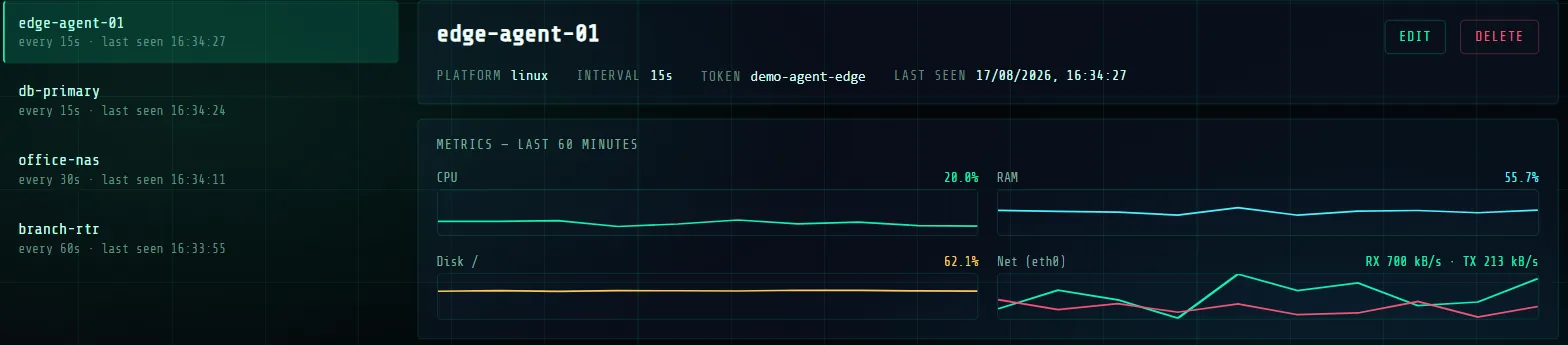
- CPU, memory, disk and network read from the kernel, kept 30 days
- One agent on the free plan, 5 on Plus, 25 on Pro
Why public probes refuse private addresses
Point a public checker at 192.168.1.10 and it reports it down forever, because it is looking at its own network. Worse, a monitoring service that will fetch any address its users type is a tool for reaching things inside our network.
The public probes reject private, loopback, link-local and cloud-metadata ranges outright, and say what to use instead.
Questions
- What does the agent need?
- A Linux host with curl and systemd, a Windows host, a MikroTik router running RouterOS 7, or Docker. It runs as a service and needs no inbound network access.
- How many agents can I install?
- 1 on the free plan, 5 on Plus and 25 on Pro. Agents have their own allowance; the monitors they feed count against the monitor limit.
- Does it open a port?
- No. All connections are outbound from the agent to PingFleet.