Network intelligence
How PingFleet works
Four moving parts: what to watch, where it is checked from, whether it is really down, and who hears about it.
The result
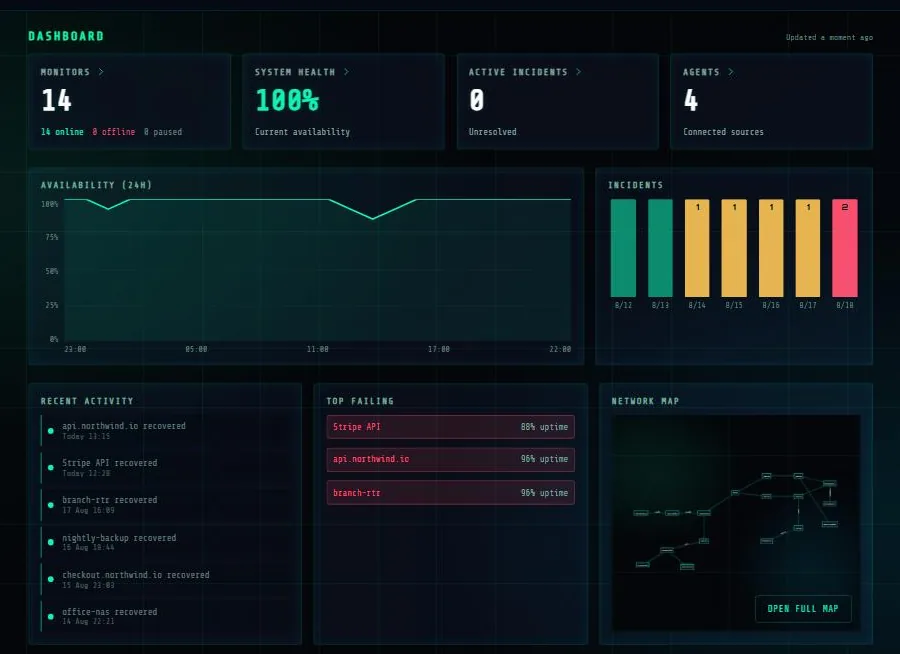
What you end up looking at
One screen carrying the last 24 hours, the incidents of the last week, and the map. Every panel opens the detail behind it.
The fleet
The probe fleet
Checks run from separate providers on separate autonomous systems, so that two of our machines cannot share one network's bad day. Every address is published at /ips.json, as a file you can paste into a firewall rule.
Marked points are the machines that run checks. The arcs are checks leaving them for targets elsewhere, not places we check from.
Consensus
Consensus between locations
1. You describe what to watch
A monitor is a target and a question. Is this URL answering with the status I expect, and does the body contain the string that proves it rendered? Is this port open? Does this host reply to a ping? How many days until this certificate expires?
The interval is scaled to the question: seconds for reachability, daily for an expiry date.
2. It is checked from somewhere useful
Public targets are checked by the probes above: separate providers, separate autonomous systems. Several machines at one provider share that provider's outage; separate providers do not.
Anything on a private network is checked by an agent you install. The public probes refuse private address ranges and say so, rather than reporting the target down.
3. The locations have to agree
A single failed check is not an outage. On plans with more than one location, a monitor is called down when a majority of the reporting locations agree.
When only some fail, the state is degraded: named, shown, and deliberately not paged. A service unreachable from one network is genuinely broken for the customers on it.
A location that has never reported is not a vote against, and a vote older than a few intervals stops counting, so a location that died mid-outage cannot keep voting "up" from the grave.
4. The right person hears about it, at the right hour
An incident opens and the alert group decides who is told. Steps fire on consecutive failures or on elapsed downtime, each with its own hours, so a quiet email can go out at any time while the phone call waits for morning.
A step outside its window waits rather than being skipped: an outage that starts at midnight still escalates in the morning.
Recoveries are sent on the same channels. An alert with no matching all-clear teaches people to ignore alerts.
Questions
- How long does it take to set up?
- A single HTTP monitor takes about a minute: paste a URL, pick an interval, save. The map and the status page are worth an afternoon once you have more than a handful of monitors.
- Do I need to install anything?
- Not for anything the internet can reach. Private addresses need an agent, which is one shell command and needs no inbound firewall rule.
- How quickly will I be told?
- A check runs as often as your plan allows, down to every 30 seconds. An alert fires after the number of consecutive failures you set, so a single blip does not wake anybody.
- What happens when your own service goes down?
- Checks stop, and no alert is sent, because there is nothing to report. Nothing is retroactively marked as an outage that we simply failed to observe.
- Can I try it without a card?
- Yes. The free plan takes no payment details and does not expire.