Prove your MongoDB backup by restoring it every night
mongodump exits 0 on a database that does not exist
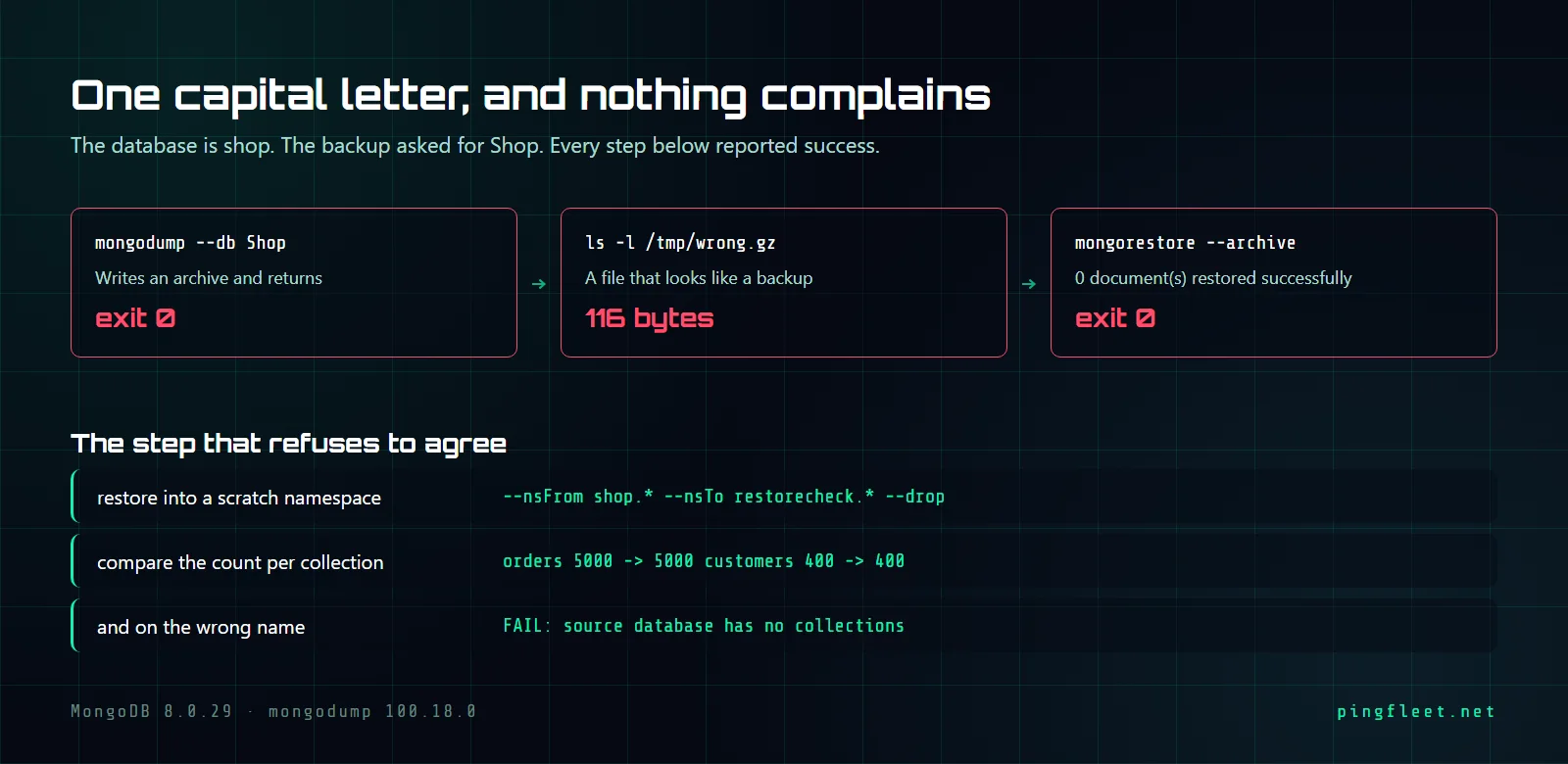
The cron job finishes, the archive lands at /var/backups/mongo/, the exit code is 0. You could watch this every night for a year without opening the file. When you finally do, the archive is 116 bytes and contains nothing, because the database name was Shop and the actual database is shop.
This is what I set out to test on a VM running Ubuntu 24.04 and MongoDB 8.0.29: a backup script that restores its own archive into a scratch namespace, compares document counts, and refuses to exit 0 unless the numbers match. The first problem had nothing to do with backups.
mongod crashed before any of this
On a fresh Ubuntu 24.04.4 LTS install, mongod from the official MongoDB 8.0 repository would not start. The service crashed immediately with a core dump:
× mongod.service - MongoDB Database Server
     Active: failed (Result: core-dump) since Sun 2026-09-06 16:16:13 UTC
    Process: 2527 ExecStart=/usr/bin/mongod --config /etc/mongod.conf (code=dumped, signal=ILL)
signal=ILL means the binary hit a CPU instruction the processor does not have. MongoDB 8.0 requires AVX, and lscpu | grep -c ' avx ' returned 0 because the VM had the hypervisor's default CPU model. No log file was created either; mongod died before it could write one. Setting the CPU type to host in the hypervisor config and restarting the VM fixed it, and mongod --version printed db version v8.0.29.
The 116-byte archive
With mongod running I seeded a database called shop with 5000 orders and 400 customers. Then I ran mongodump with the name capitalized as Shop, one wrong letter.
It exited 0 and wrote 116 bytes to /tmp/wrong.gz. No error, no warning, nothing in the output to say the database Shop did not exist. I assumed it would fail on a database with no collections; it does not.
The same command with the name spelled correctly behaves differently in every measurable way. The correct dump, with --db=shop in lowercase, finished in 16 milliseconds and wrote 48800 bytes:
2026-09-06T16:21:35.907+0000	writing `shop.orders` to "archive `/tmp/shop.gz`"
2026-09-06T16:21:35.907+0000	writing `shop.customers` to "archive `/tmp/shop.gz`"
2026-09-06T16:21:35.915+0000	done dumping `shop.customers` (400 documents)
2026-09-06T16:21:35.915+0000	done dumping `shop.orders` (5000 documents)
116 bytes against 48800, and the exit code was 0 both times.
What does mongorestore do with the empty archive?
Exactly what mongodump did: nothing, successfully. Restoring the 116-byte archive with mongorestore produced this:
2026-09-06T16:21:37.497+0000	preparing collections to restore from
2026-09-06T16:21:37.500+0000	0 document(s) restored successfully. 0 document(s) failed to restore.
The exit code was 0 and the output line says 0 document(s) restored successfully, which is technically accurate. No collection was created, no data appeared in any namespace, and mongorestore reported success. If your backup check tests $? and nothing else, an archive like this would pass every night.
Restore without --drop keeps rows the backup never had
Before writing the verification script I needed to understand what mongorestore does to a collection that already has data. The verify namespace had 4901 orders, including 1 row that was never in the original backup, and I restored the 5400-document archive without --drop:
100 document(s) restored successfully. 5300 document(s) failed to restore.
The 5300 failures were duplicate-key errors for documents that already existed. The collection ended up with 5001 rows, and the row that was never in the backup survived the restore.
With --drop, mongorestore drops each collection before restoring it. The result was clean: 5400 restored, 0 failed, 5000 orders, and the stray row was gone.
The script catches what the exit code does not
The script dumps the database to a GZIP archive, restores that archive into a scratch namespace called verify using --nsFrom and --nsTo with --drop, compares document counts per collection between the source and the restored copy, and drops the scratch namespace. If any count does not match, or if the source database has 0 collections, the script exits 1. Running it against the real shop database:
orders 5000 -> 5000
customers 400 -> 400
verified: /var/backups/mongo/shop-20260906-162137.gz (49038 bytes)
Running it with Shop instead of shop produces a different result. The script still runs mongodump, which creates the archive and exits 0, but the source database has no collections and the check catches it:
FAIL: source database has no collections
Exit code 1. The same typo that mongodump silently accepted now stops the pipeline before anyone trusts a 116-byte archive.
The script itself is 17 lines and needs mongosh on the same host, because the comparison runs 2 queries per collection. Nothing in it is specific to this database:
#!/usr/bin/env bash
set -euo pipefail
DB=${1:?usage: backup-verify <database>}
ARCHIVE="/var/backups/mongo/${DB}-$(date +%Y%m%d-%H%M%S).gz"
mongodump --archive="$ARCHIVE" --gzip --db="$DB" --quiet
mongorestore --archive="$ARCHIVE" --gzip \
  --nsFrom="${DB}.*" --nsTo="verify.*" --drop --quiet
COLS=$(mongosh --quiet --eval "db.getSiblingDB('$DB').getCollectionNames().join(' ')")
[[ -z "$COLS" ]] && echo "FAIL: source database has no collections" && exit 1
for C in $COLS; do
  S=$(mongosh --quiet --eval "db.getSiblingDB('$DB').$C.countDocuments()")
  R=$(mongosh --quiet --eval "db.getSiblingDB('verify').$C.countDocuments()")
  echo "$C $S -> $R"
  [[ "$S" -ne "$R" ]] && echo "FAIL: count mismatch on $C" && exit 1
done
mongosh --quiet --eval "db.getSiblingDB('verify').dropDatabase()"
echo "verified: $ARCHIVE ($(stat -c%s "$ARCHIVE") bytes)"
Counting documents is not the same as having them
During the test I went one step further and compared a field sum across every document: sum(total) was 43741250 in both the source and the restored copy, and the last document was byte-identical. I think this level of verification is not worth running nightly, because if mongodump writes the right count with wrong content, that is a MongoDB bug, not an operator error, and a bash script will not outrun it. The archive for 396580 bytes of source data was 49038 bytes, about 12 percent of the raw size, and the scratch namespace was dropped before the script exited.