Build a dead-man switch so silent cron failures alert you
A removed crontab entry produces zero log lines
Somebody removes a line from /etc/crontab. Not on purpose; they are editing something else and delete one line too many. The backup job that ran every night at 03:00 is gone, and nothing anywhere says so. Cron writes nothing to the journal because there is no job to run, so there is no event, and no mail arrives because cron sends mail when a job produces output, not when a job stops existing.
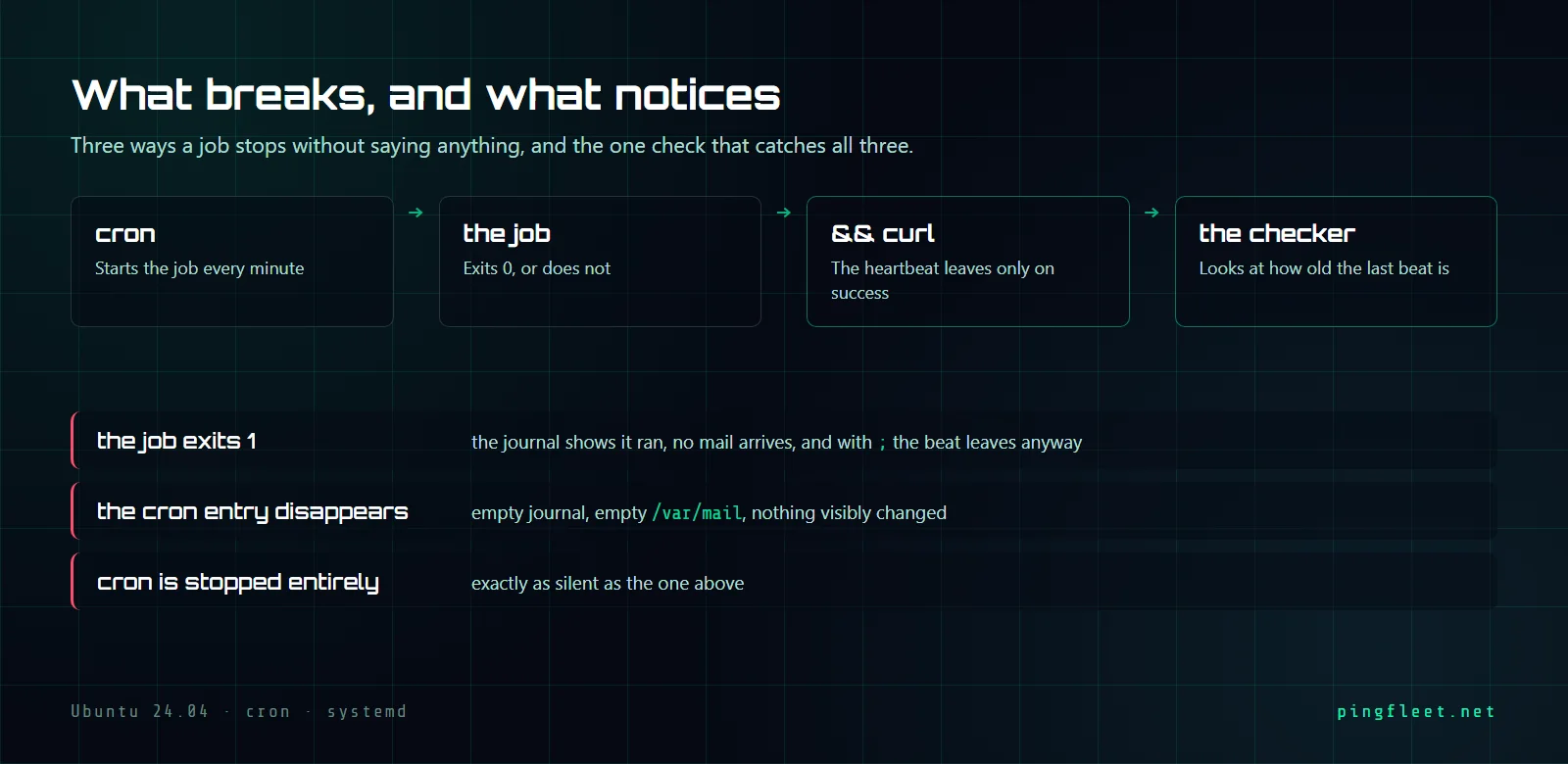
We tested three failure modes on a clean Ubuntu 24.04.4 LTS VM: a job that fails but reports success, a job whose crontab entry gets deleted, and a cron daemon that stops running. All three are caught by the same mechanism: a receiver that timestamps every HTTP POST it gets on port 9000, and a checker that fires an alarm when the last timestamp grows too old.
What does cron actually tell you?
Cron logs a line when it starts a job, another when it finishes, and sends mail to root if there is output. The crontab(5) man page describes what happens at each tick: cron reads the table, matches the current minute, and forks. If the entry is not in the table, there is nothing to match and nothing to fork. The daemon does not diff tonight's /etc/crontab against last night's; there is no event called "entry removed," and when we checked /var/spool/mail/ after removing a test entry, it was empty.
The semicolon reports success for a failed job
The first cron entry in our test used a semicolon between the backup script and the heartbeat curl. It ran every minute:
* * * * * /usr/local/bin/backup.sh; curl -sS -X POST http://127.0.0.1:9000/ >/dev/null
The backup script was set to exit 1. The curl ran anyway, because a semicolon in Bash runs the next command regardless of the previous command's exit status. The heartbeat receiver got its POST, and /usr/local/bin/hb-check reported ok, last beat 11 seconds ago. The cron journal showed a clean session: pam_unix(cron:session): session opened for user root(uid=0) by root(uid=0), then the CMD line, then session closed. Nothing in those 3 lines said the backup had failed.
I assumed ; and && were interchangeable in cron entries because every job I had chained that way happened to succeed. When a job always exits 0, the two characters behave identically, and you never learn the difference until something breaks and the heartbeat keeps arriving as if nothing happened.
Replacing ; with && fixed it. Now curl only runs when backup.sh exits 0. With the backup still failing, /usr/local/bin/hb-check reported ALARM: no beat for 97 seconds.
The failure cron cannot report
We put the && entry back, confirmed the backup was succeeding, and then removed the crontab entry entirely. The journal showed 0 lines for that period. /usr/local/bin/hb-check said ALARM: no beat for 113 seconds.
Then we stopped the cron daemon with systemctl stop cron. Its status went to inactive. The checker said ALARM: no beat for 118 seconds.
You find out when you need the backup.
Those are the 2 failures this entire setup exists for. A monitoring system that watches cron output has no way to catch them because there is no output to watch. A system that watches the absence of a heartbeat catches both, and it catches the semicolon problem from the section above without any extra work.
The receiver runs on the wrong machine
Everything in this tutorial ran against 127.0.0.1:9000. The heartbeat receiver, the checker, and the cron daemon all lived on the same Ubuntu 24.04 VM. If that machine loses power, the receiver goes with it, and nobody finds out.
I think most people who build a dead-man's switch for the first time put the receiver on the same host because it is simpler and because they want to see it work before they make it real. That is what we did here. The right shape is a receiver on a separate machine, one that is itself monitored, so the alarm fires from somewhere that is still alive. If you run PingFleet, the receiver is already there: point the curl at the ingest endpoint and create a check that expects a POST every few minutes. If you do not, any HTTP endpoint on a different host with a script that reads the timestamp file and compares it to now does the same job.
The entry that survives
With && in place and the backup succeeding, /usr/local/bin/hb-check returned ok, last beat 29 seconds ago and journalctl showed 1 clean session. The 29 seconds is the gap between the last heartbeat and the moment we ran the check, well inside the threshold.
The cron entry that works is the one with && and nothing else around it. For a per-minute test it looked like this:
* * * * * /usr/local/bin/backup.sh && curl -sS -X POST http://127.0.0.1:9000/ >/dev/null
For a job that runs daily instead of every minute, the threshold needs to match the schedule. In our test the checker reported ok at 29 seconds and ALARM at 38, so the threshold sat somewhere around 30 seconds. That works for a per-minute job, but a daily job with a 30-second window would spend 23 hours and 59 minutes of every day in false alarm. Something like 25 hours gives the job room to run a little late and still catches a full miss by the next morning.